

Master Set Trackers
Track complete Pokemon sets with a system built for accuracy.
What Makes This Different
Most collectors use references. This gives you the full system — built to help you lay out the set correctly, track it cleanly, and know exactly what’s missing.
Complete Set Coverage
Good for basic reference, but usually leaves out the smaller things that matter in a real master set — variants, patterns, and details that get missed.
Complete Set Coverage
Built to show the full set structure with every card and variant already laid out in order.
Correct Binder Placement
Gives you something to check against, but does not help keep your binder lined up card by card as the set grows.
Correct Binder Placement
Every card already has its place, so you can follow the set in order without throwing off the whole binder later.
Knowing What’s Missing
You still have to figure out which card belongs in an empty spot and cross-check it yourself.
Knowing What’s Missing
Missing cards are clearly identified for you, so there’s no guessing what belongs where.
Missing Card List
You still end up writing your own notes before a card show, trade night, or shop run.
Missing Card List
Your missing cards are already pulled into a clean list, ready to print or take with you.
Priority Tracking
Doesn’t separate the easy gaps from the expensive ones, so everything gets lumped together.
Priority Tracking
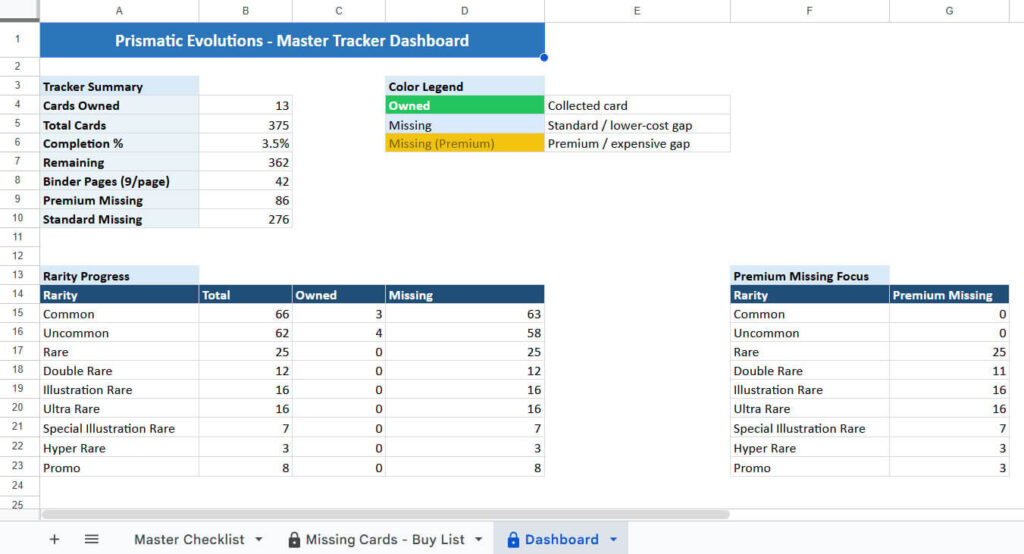
Premium missing cards and standard missing cards are split out clearly, so you know what’s a quick pickup and what’s a real hunt.
Real Progress
Useful as a reference, but it won’t tell you your exact count, missing total, or completion percentage.
Real Progress
You can see exactly how many cards you own, how many you’re missing, and what percentage of the set is done.
HOW IT WORKS
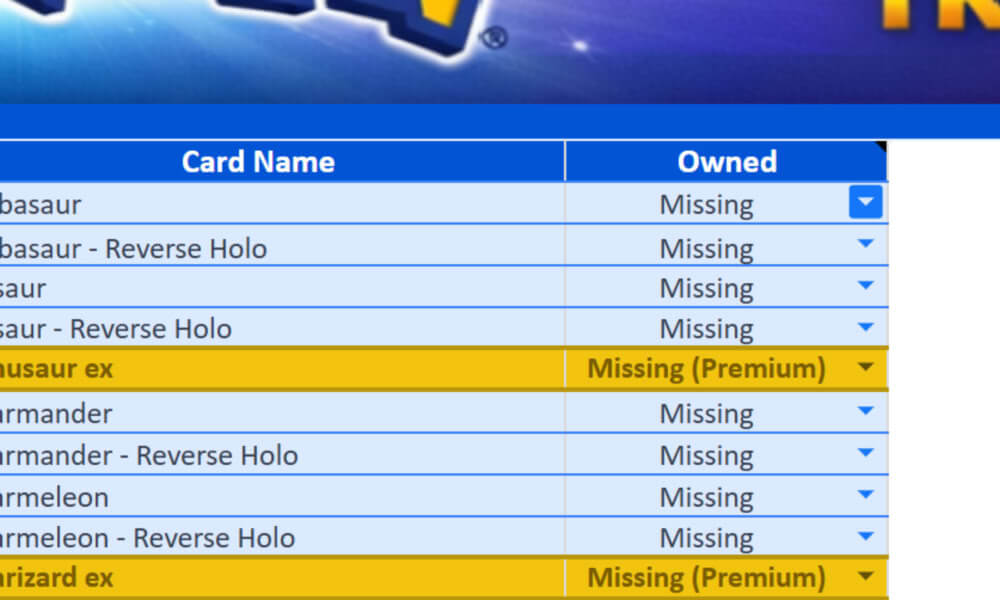
Open Your Tracker
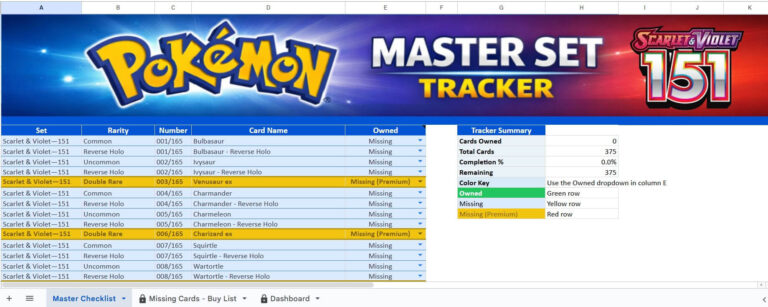
Start at the top and move through the set exactly as it’s laid out. Every card is already in place — including the variants and the small details that usually get missed when you’re building a master set off memory or basic lists.
You’re not building the structure here. You’re not figuring anything out. That part’s already handled. You just open it and follow the set the way it’s meant to be built.
No setup. No guesswork. Just the full set, already mapped out.
Mark What You Have
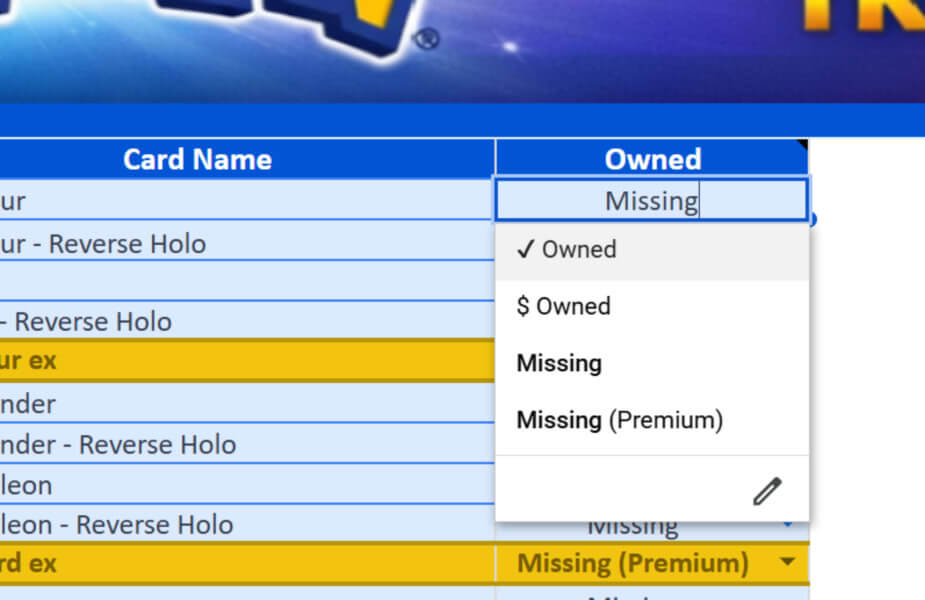
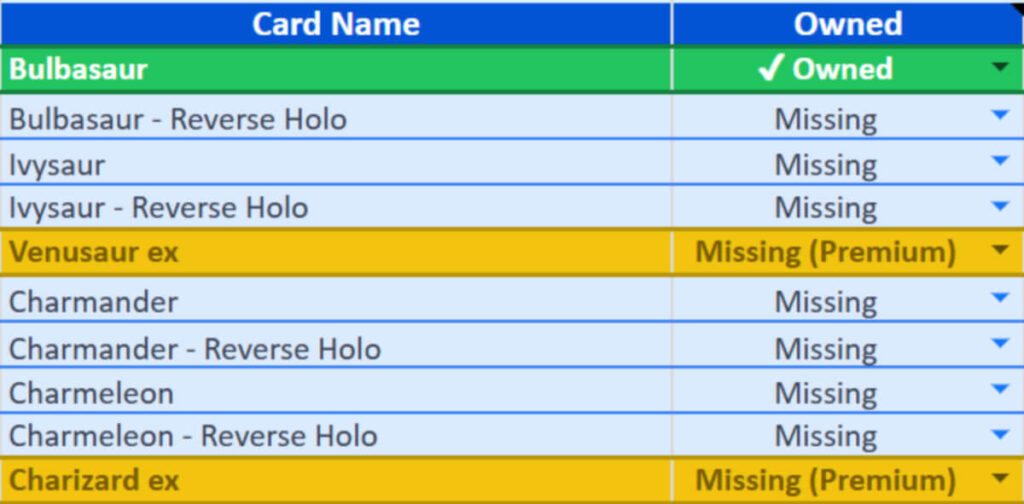
This is the part you actually interact with. Just use the dropdown and mark the card the way it applies — owned, missing, or premium. That’s it.
You’re not editing formulas or changing the sheet around. You’re just updating the card status as you go, one row at a time. It stays simple on purpose, because the whole point is to make tracking the set easier, not turn it into extra work.
One dropdown. One click. The rest of the system follows.
Watch It Organize Everything
As you mark your cards, the tracker starts doing its job in the background. Rows update, colors shift, and your set begins to organize itself without you touching anything else.
You don’t have to scan through pages or double-check your binder anymore. You can just look at it and know what’s done, what’s missing, and what still needs attention.
It keeps the set clean, visible, and easy to follow as you build.
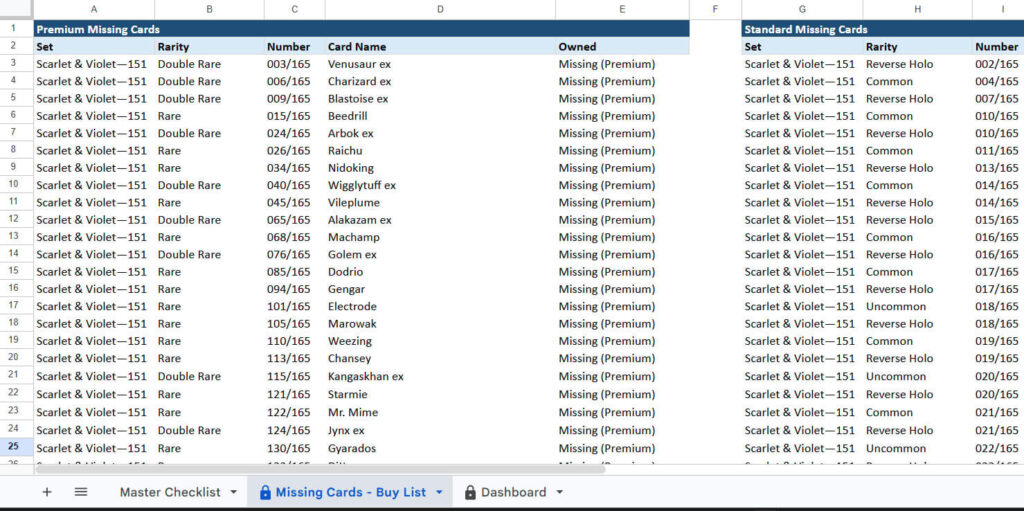
Take Your Missing List With You
As you go through the set, anything you don’t have is already being tracked for you. You’re not writing things down or trying to remember what you still need — the list is building itself in the background.
When you’re heading out to a card shop, trade night, or show, you already have a clean list of what’s missing. You can pull it up or print it and take it with you without doing any extra work beforehand.
No prep. No second list. Everything you need is already there.
If you’ve ever built a set and felt like something was off… this fixes that.
You’re not guessing. You’re not rebuilding your binder. You’re just following the set the way it’s meant to be built.
When you’re ready, jump back up and start tracking.